"The Ultimate Guide to Choosing the Best SSD for Gaming: Enhance Your Load Times and Stream Seamlessly"
Every millisecond counts in today's fast-paced gaming world. Gamers are always looking for ways to improve their gaming experience, and one of the key factors that can make a big difference is your choice of memory. Solid-state drives (SSDs) have become the storage solution of choice for gamers, offering faster load times, better performance, and smoother streaming. In this article, we review some of the best SSDs for gaming, with a special focus on fast loading times and smooth streaming, to help you take your gaming experience to the next level.
Why SSD?
Before we talk about the best SSDs for gaming, let's understand why gamers love SSDs. Unlike traditional hard disk drives (HDDs), which rely on spinning disks and mechanical parts, SSDs use flash memory technology. This allows for blazingly fast data access speeds and significantly reduced game loading times. With an SSD, you can say goodbye to those frustrating moments of staring at loading screens and instead jump right into the action.
Plus, an SSD ensures a smoother streaming experience. Games with huge open worlds and high-quality graphics often require real-time streaming assets. Fast SSD read speeds enable seamless asset loading, eliminating stuttering, pop-ins, and texture streaming issues. This makes for a more intense and smooth gaming experience.
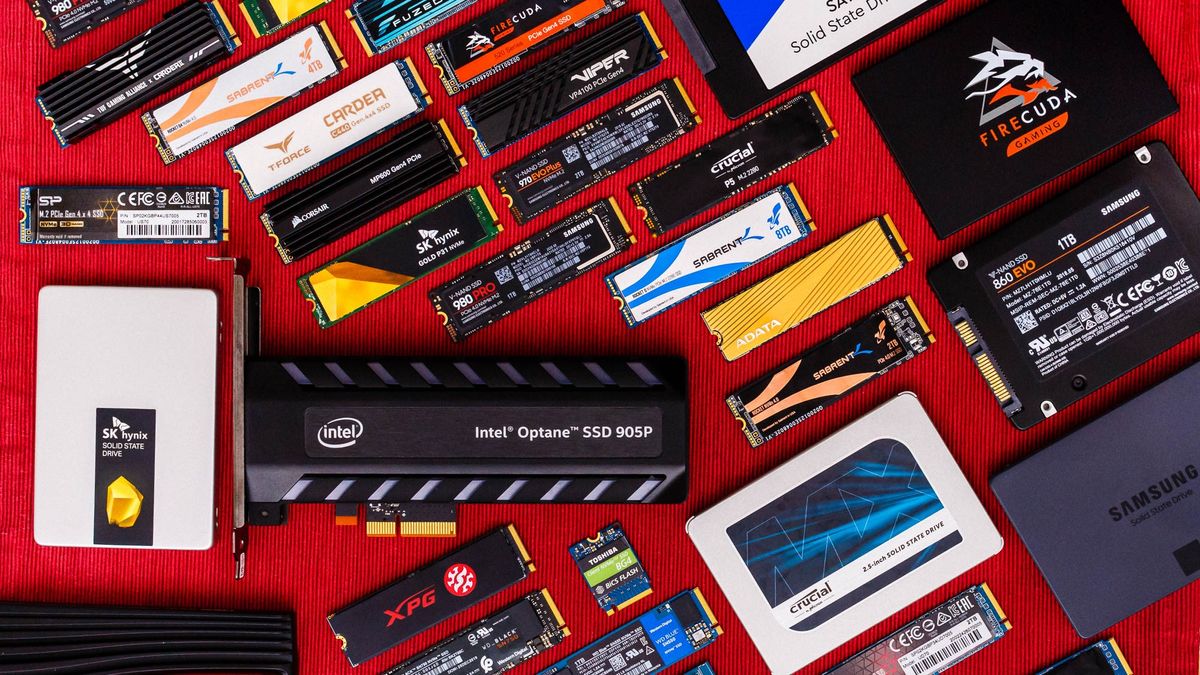
Factors to consider
There are several factors to consider when choosing the best SSD for your game.
1. Capacity:
Please consider the required storage capacity according to your gaming needs. SSDs come in various sizes, from 500 GB to several terabytes. Evaluate your storage needs and choose an SSD that provides plenty of space for your games, operating system, and other applications.
2. Speed:
SSD speed is an important factor for gaming. Look for SSDs with high sequential read and write speeds. This makes the game load faster and more responsive.
3. NAND flash technology:
Different SSDs use different types of NAND flash memory. B. TLC (triple-level cell), MLC (multi-level cell), and SLC (single-level cell). In general, SLC-based SSDs offer the best performance and endurance, while TLC-based SSDs offer a good balance of speed and affordability.
4. Durability and longevity:
Games often require frequent data transfers and updates, which can be a demanding task for storage devices. For longevity and reliability, consider SSDs with high endurance (measured in Terabytes written or TBW).
5. Form factor:
Please check the compatibility of your SSD with your game system. Common form factors for SSDs include M.2 and 2.5 inch SATA drives. Make sure the SSD you choose matches the available slots and connectors on your motherboard.
Top SSD for Gaming
Next, let's take a look at some of the best SSDs for gaming for faster load times and smoother streaming.
With a super-fast PCIe 4.0 interface and excellent read/write speeds, the Samsung 980 is perfect for gamers who demand top-notch performance.
2. Western Digital Black SN850:
With a PCIe 4.0 interface and advanced game modes, the WD Black SN850 delivers superior speed and reliability for demanding gamers.
3. Crucial MX500:
This affordable SSD strikes a balance between performance and price. With a SATA III interface and excellent read/write speeds, it's a great choice for budget gamers.
Designed specifically for gaming, the FireCuda 520 offers exceptional speed, durability and a wide range of capacities. The perfect choice for gamers looking for optimal performance.
Equipped with a PCIe 4.0 interface and high-quality NAND flash memory, the Corsair MP600 provides gamers with blazing speed and reliable performance.
Conclusion:
Investing in a quality he SSD will greatly improve your gaming experience with faster load times and smoother streaming. With the right SSD, you can enjoy seamless gameplay, immersive worlds, and fast responsiveness. Consider the factors discussed in this article and consider the best SSD options to find the best storage solution for your gaming needs.
Upgrade your gaming experience today with a high-performance SSD and immerse yourself in faster load times and smoother streaming.
Comments
Post a Comment